 Result
 Denoise
Hear the voice with less background noise.
This example could not load. Try again or open the tool.
Remove noise from an audio recording →
Remove noise from an audio recording →
Remove noise from an audio recording →
Remove noise from an audio recording →
Remove noise from an audio recording →
Remove noise from an audio recording →
Remove noise from an audio recording →
Remove noise from an audio recording →
Audio & video tools
Clean up speech, compress or trim a video, translate subtitles and hide sensitive details. Choose a tool to preview, adjust and download your result.
Reduce background noise in speech recordings, then compare the original and cleaned audio.
Clean the audio in a video and keep the original picture in compatible MP4 and MOV files.
Compress videos, trim time ranges, crop the picture and recover playable sections.
Convert DVD VIDEO_TS VOB title files to MP4, MKV, MOV or WebM in your browser. Your video stays on your device.
Select a watermark, subtitle or scrolling comment, preview the repaired background and download an MP4.
Increase video resolution with Real-ESRGAN 4× in your browser. Your video stays on your device.
Choose a picture to preview it locally, add optional instructions, then start removal and compare the result before downloading.
Increase the resolution of a small photo to a 1K long edge with AI. Upload a PNG, JPG or WebP image under 1,024 pixels, compare the generated result, and review changes before downloading.
Remove mosaic, blur or covered areas from a photo with AI image repair. Select a patch, review a plausible completion and download PNG. Five daily attempts per source IP; people on the same public IP share this tool allowance.
Translate speech and add editable subtitles to a video.
Extract speech from audio or video and return editable text with timestamps.
Transform voices in audio or video with ten presets and manual controls.
Transcribe, translate and re-voice a recording in another language.
Replace passages you mark with a beep without changing the file timing.
Detect and cover faces in a video while keeping the original sound.
Real clips, real results. Play an example and compare before choosing your own file.
Result Hear the voice with less background noise.
This example could not load. Try again or open the tool.
 Result
 Hear selected words replaced by a bleep.
This example could not load. Try again or open the tool.
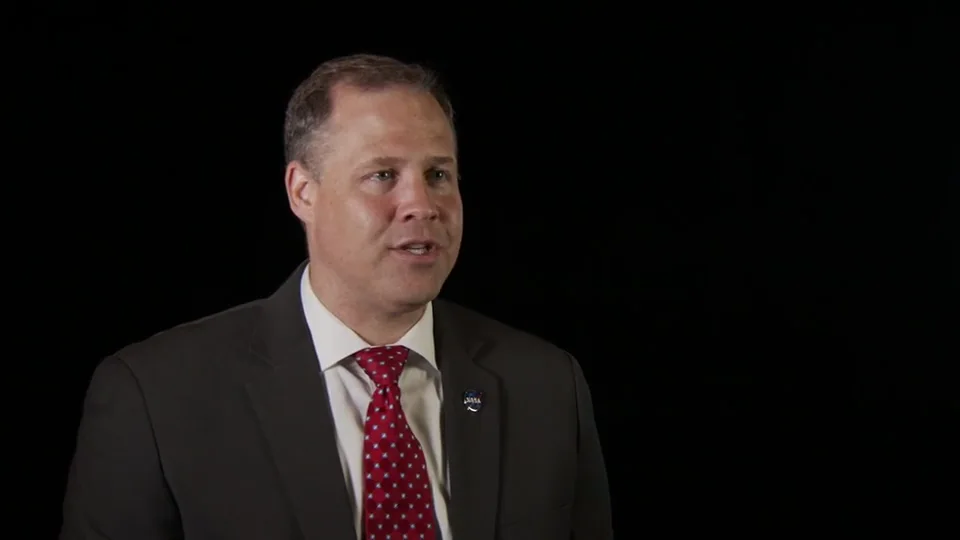 Result
 Compare the original voice with the deep voice preset.
This example could not load. Try again or open the tool.
 Result
 See the tracked face covered throughout the clip.
This example could not load. Try again or open the tool.
 Result
 Read translated subtitles while the original voice stays.
This example could not load. Try again or open the tool.
 Result
 Keep seconds 1–6 and crop around the speaker.
This example could not load. Try again or open the tool.
 Result
 English → Mandarin Chinese. Reviewed script, synthetic voice; this is not the speaker’s own voice.
This example could not load. Try again or open the tool.
So our first crew show
for our maintenance recovery or launch team
is around 03:00 in the morning, 02:30 in the morning.
A reviewed, time-coded English transcript of a 13.7-second interview excerpt. Editing the prepared example does not run a new transcription.
This example could not load. Try again or open the tool.
Start with the part of your recording you want to change. Each tool has its own preview, settings and downloads.
Reduce background noise in speech recordings or a video’s audio track. To hide particular words, choose audio censoring and mark the intervals to bleep.
Trim a continuous clip, crop the picture or compress the file in Video Tools. To remove burned-in text or watermarks, use Video Eraser. To hide faces, use face anonymisation and review the coverage before exporting.
Transcribe for editable text, translate subtitles to keep the original voice, or dub to create a spoken translation. Review names, numbers and timing before saving.
Video erasing, compression, trimming, cropping and recovery, noise removal, voice changing, audio bleeping and face covering run in your browser without uploading your file.
AI image enhancement and watermark removal, cloud transcription, subtitle translation and dubbing send the image, audio or text needed for the task to processing services. Each tool explains what is sent before you start.
You can open a tool and select a file directly in your browser. Media support depends on your browser and device. For longer recordings, keep the tab open and allow enough storage for the output.
Tools accept common audio and video files such as MP3, WAV, M4A, MP4 and MOV, with support varying by tool and codec. Outputs include processed audio, MP4 video, editable text and subtitle files. Check the tool page for the formats available for your task.
Transcription turns speech into editable text. Translated subtitles add text in another language while keeping the original voice. Dubbing creates a new spoken track using a synthetic voice. Choose based on whether you need text, on-screen translation or translated audio.
No. Noise removal can reduce background noise but cannot guarantee recovery of missing or distorted speech. Video recovery can keep decodable sections when the index is readable; it cannot recreate missing footage. Listen to or watch the result before using it.