Choose a face
Use one clear reference photo, or add more views of the same person. In a group photo, choose the right face.
Find photos and videos of one person in your folders. Scan locally in your browser, review matches, and export original files. Free, no sign-up.
Free processing and downloads · No signup
Your photos, videos and face features stay on this device. The models download when you begin.
Add a photo of the person, or scan faces from your selected files. A photo with one face is selected automatically; choose the person in a group photo.
Use a clear, well-lit face. You can select a person from a group photo.
Used only to name the new folder on your device.
Select a folder including its subfolders, or choose individual files. Originals remain in place.
Detailed scanning finds more brief appearances but takes longer. Either mode can miss a face.
Choose a folder or files to begin.
Up to 1,000 files · JPG, PNG, WebP, HEIC and browser-decodable videos
Your files stay on this device.
Images: up to 50 MB (HEIC: 40 MB) and 48 megapixels. Videos: up to 2 GB, 2 hours and 30,000 sampled frames per file. Unsupported files are listed separately.
No files selected yet
Open a preview to check the person. Select the originals you want to keep together; uncertain matches are not selected automatically.
No files in this view.
Folder saving did not complete. Your selection is kept. Download the selected files as a ZIP instead.
Original files, without re-encoding. Large ZIPs use temporary browser storage. Available space and a 4 GB archive limit apply; browsers without writable storage are limited to 200 MB.
ZIP download works without folder permission. Direct folder copying is optional and depends on your browser granting access.
Use a public-domain VOA interview: one reference still, a different frame of the same person, a generated landscape without a face, and the original 5.8-second video. Clicking runs the same face model on your device; review its results.
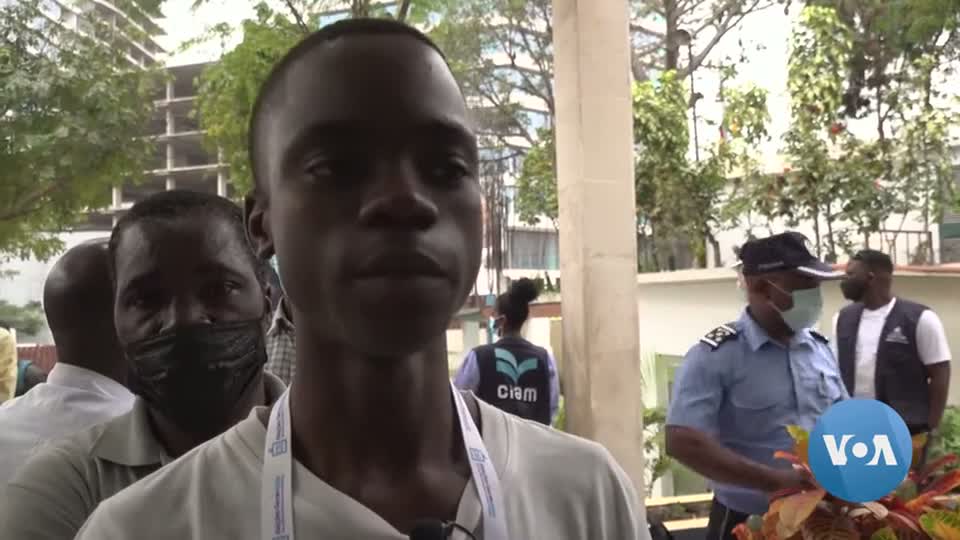
Interview footage: Voice of America · public domain. Landscape: generated example. VOA / Wikimedia Commons
Search your own files for one person at a time. Choose a face from your files or add a reference photo; this tool does not search the internet for people. Repeat with another person to make another collection.
Quick mode samples 1 frame per second; detailed mode samples 4 frames per second. Scanning stops for that video when a reliable match is found. Open its preview at the reported timestamp to check the person.
Either mode may miss a brief appearance, a small face or a blurred frame. A timestamp shows a sampled match, not every appearance. Export copies the whole original video.
Open the previews and adjust the selection. A clearer reference or another angle of the same person may help; matching can still make mistakes.
The face models download when you begin. Your photos, videos and face descriptors are processed on your device, without uploading them for recognition. Face descriptors stay only in the current page’s memory and are cleared when you start over or close the page.
Large ZIP exports may temporarily store copies of original file contents in this site’s private browser storage. Leftover ZIP data older than 24 hours is cleaned up when a later ZIP export opens that storage; cleanup is not a timer running after the page closes.
Use JPG, PNG, WebP, HEIC/HEIF and videos your browser can decode. A video’s codec matters, not just its extension. RAW files and direct cloud-library imports are not supported; download and extract your files first. File and size limits are listed above.
Folder saving depends on browser permissions and may fail in embedded browsers. Use ZIP download or open the page in a regular browser. Large ZIPs need free browser storage; split the selection if space is low.
Export copies the original file contents without re-encoding, preserving quality and embedded metadata, including EXIF and GPS. File-system dates may change. Review location metadata before sharing.
Use one clear reference photo, or add more views of the same person. In a group photo, choose the right face.
Scan photos and selected frames from videos locally. Open previews, check possible matches, and choose the files to include.
Copy selected files into a new named folder, or download a ZIP. The original images, video quality and audio are preserved.
No. Face detection and comparison run on your device. Face features and a limited set of photo previews are reused in this page’s memory to speed up rescanning. Start over or close the page to clear them; no persistent face database is saved. Code and model downloads need a connection; optional site statistics do not include your files, names, paths or face features.
No. Similarity is a model estimate, not a guarantee of identity. Side views, small faces, blur, masks and changes over time can cause missed or incorrect matches. Review the results before copying, especially possible matches.
Quick mode checks about one frame per second; detailed mode checks about four. Brief appearances between sampled frames can still be missed. A matching video shows a time to review, and the whole original video is copied rather than just that moment.
No. Export copies the original file bytes, preserving picture quality, audio and embedded metadata such as location information. The source files stay where they are. The copied file’s filesystem dates may differ.
You can select up to 1,000 files, including subfolders. Images may be JPG, PNG, WebP or HEIC within 50 MB (HEIC: 40 MB) and 48 megapixels. Video support depends on your browser’s decoder, up to 2 GB, 2 hours and 30,000 sampled frames. A MOV or MP4 extension alone does not guarantee support.
Desktop Chrome and Edge support choosing an output folder and granting write access. The tool creates a new subfolder and avoids replacing existing files. Where folder saving is unavailable, download a ZIP or scan report. Large ZIPs require writable browser storage and available space; each archive must stay under 4 GB. Without storage, ZIPs are limited to 200 MB.
This version finds one selected person at a time. A photo or video can contain several people and can be included in more than one person’s folder. Start a new scan with another person to organize their files.